






























Toniebox 2 review and Tonieplay: Tried and Tested
*This is a collaborative post. Toniebox 2 review item gifted for my honest review
When it comes to screen-free ad-free audio, there are two major players in the market – Tonies and Yoto. There has long been much debate about Yoto vs Tonies and whether the Toniebox or Yoto player is best, with the Toniebox generally being seen as the better choice for younger listeners due to the cute physical characters which can be placed on the box to play.
This September has seen the launch of Toniebox 2, with enhancements including a gradient light and interactive ToniePlay. Having sat fairly firmly in the Yoto camp for the last few years, I was really keen to learn about the new features of the Toniebox 2. Can it bring something new and different from the original?
Having thoroughly tested the Toniebox 2 with my daughters over the weekend, here’s my honest Toniebox 2 review.
How much is the Toniebox 2?
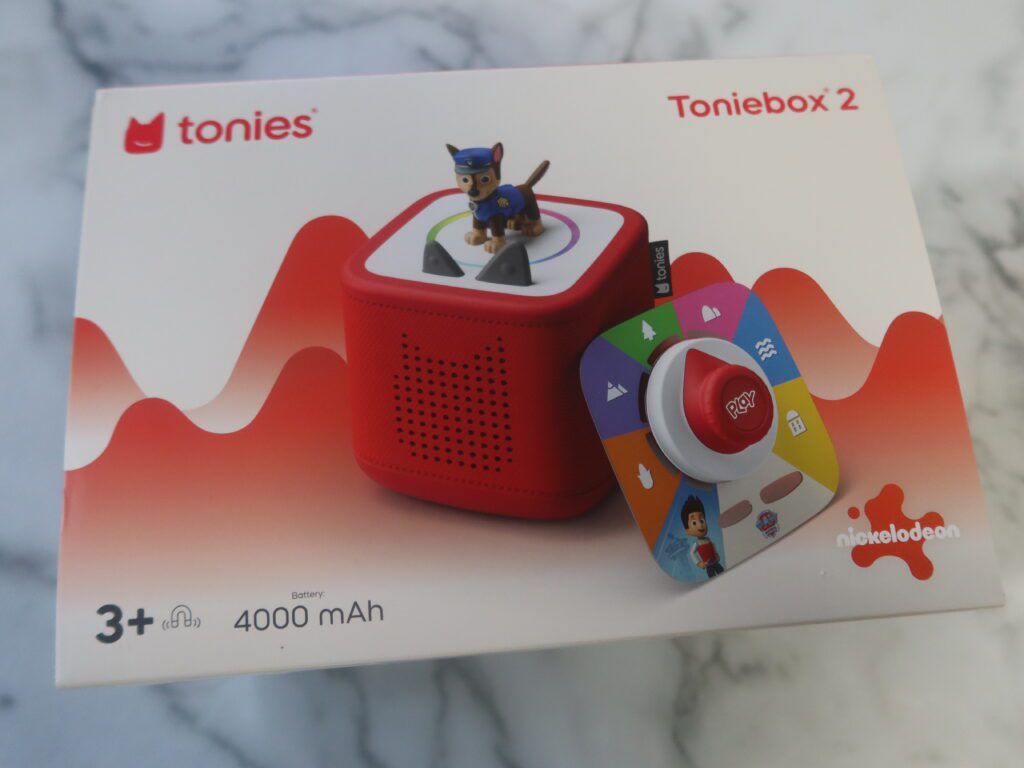
To buy the Toniebox 2 alone is around £15 than the original Toniebox, at £94.99. Considering it’s been over 10 years since the first launch and there’s some great new features, I felt this was very reasonable.
To get the best value for money, you can also buy the Toniebox 2 in bundle deals with 3, 5 or 7 tonies included.
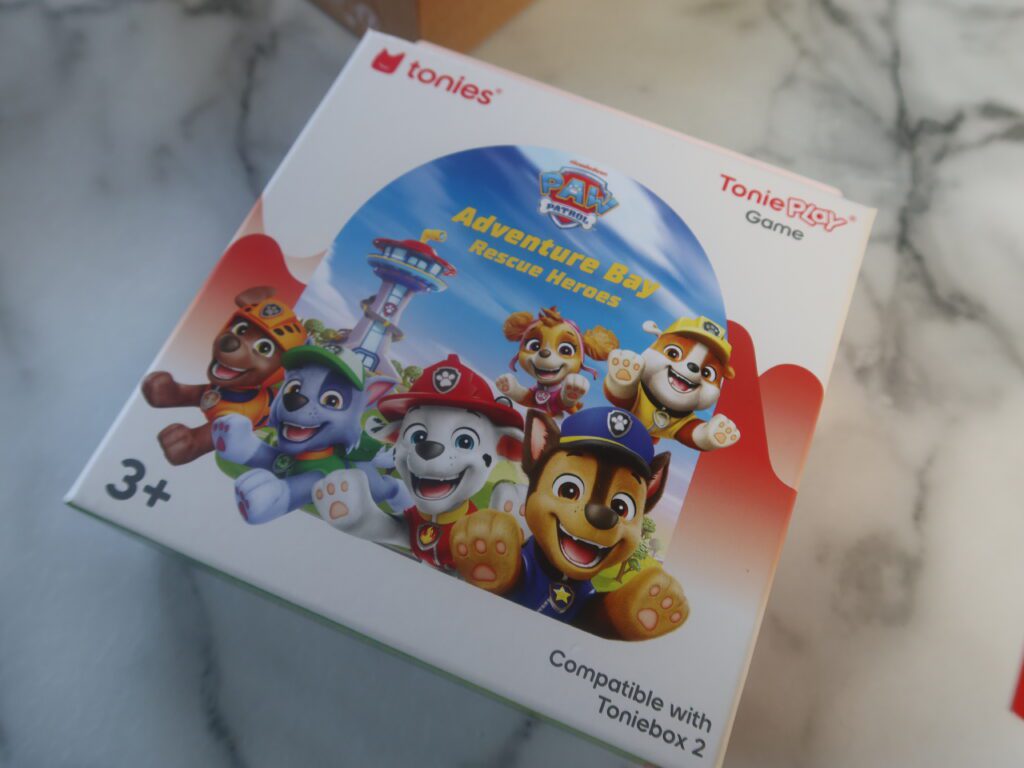
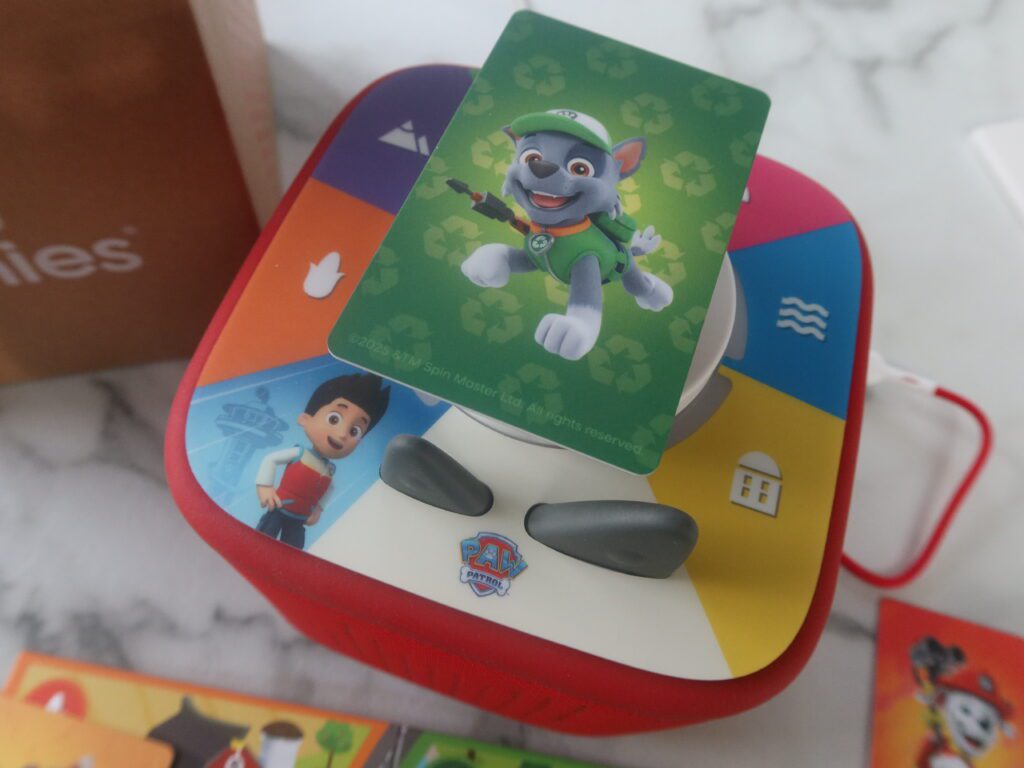
Toniebox 2 play sets (with the toniebox 2, one character and one ToniePlay game are also available at seleceted retailers. We tested the Toniebox 2 Paw Patrol Play set.
What does the Toniebox 2 look like?
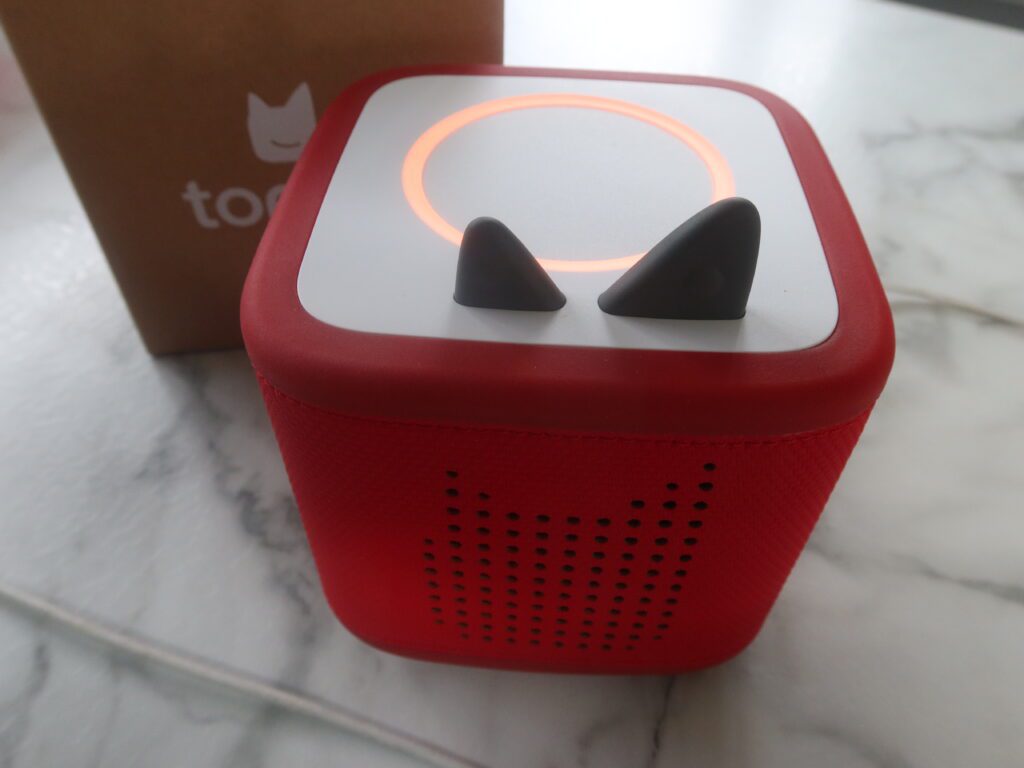
The Toniebox 2 looks fairly similiar to the original toniebox, with a cushioned design and two ‘ears’ at the front for indepdent navigation.
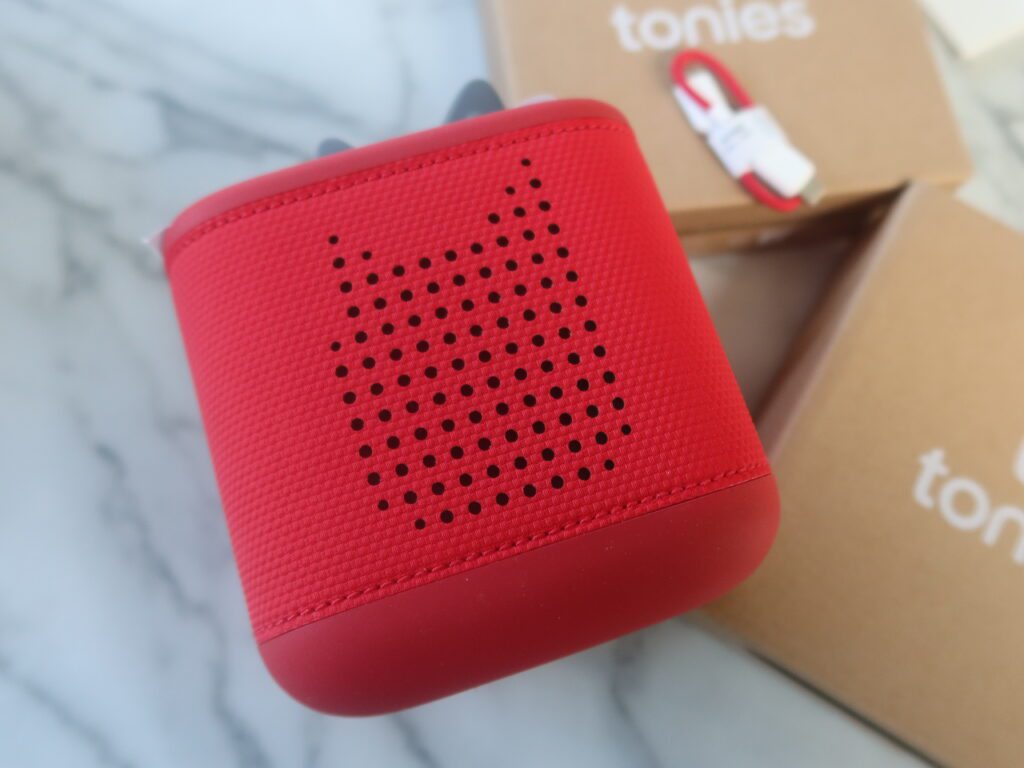
The Toniebox 2 has slightly rounded corners, so looks a little less ‘cube like’ than the original. Its also squishier. meaning its soft yet durable for drops and toddler manhandling.
You can choose from a range of colours including sunset red (pictured below), cloud pink, sky blue and moon grey. You can also buy ‘Toniebox 2 sleeves’ to add fun patterns or designs to your Toniebox.
What new features does the Toniebox 2 have?
The main changes in the Toniebox 2 are as follows:
- Certified safe for babies 1 year and above (whereas the original was aged 3 years plus). During set-up, you can select if using with a 1-year-old – in this state, it cannot play while charging to keep your baby away from wires and charging cables.
- Dynamic light ring – that changes colour during the content, reacts to volume changes and confirms decisions (in Tonieplay mode)
- Built in sleep light and sunrise alarm – hekping enhance your child’s bedtime and wake up routine
- USB-C Charging – more convenient than the sit on charger of the original toniebox
- ToniePlay – Toniebox 2 is compatible with all existing tonies, but also works with Tonieplay, a new range of interactive games, where children use a Tonieplay controller to complete challenges.
FIrst impressions of the Toniebox 2
During unboxing, I was impressed by the look and feel of the Toniebox 2. I loved the round edges and really squishy feel of the box itself, whereas the colour-changing feature of the dynamic light ring looked like a great addition.
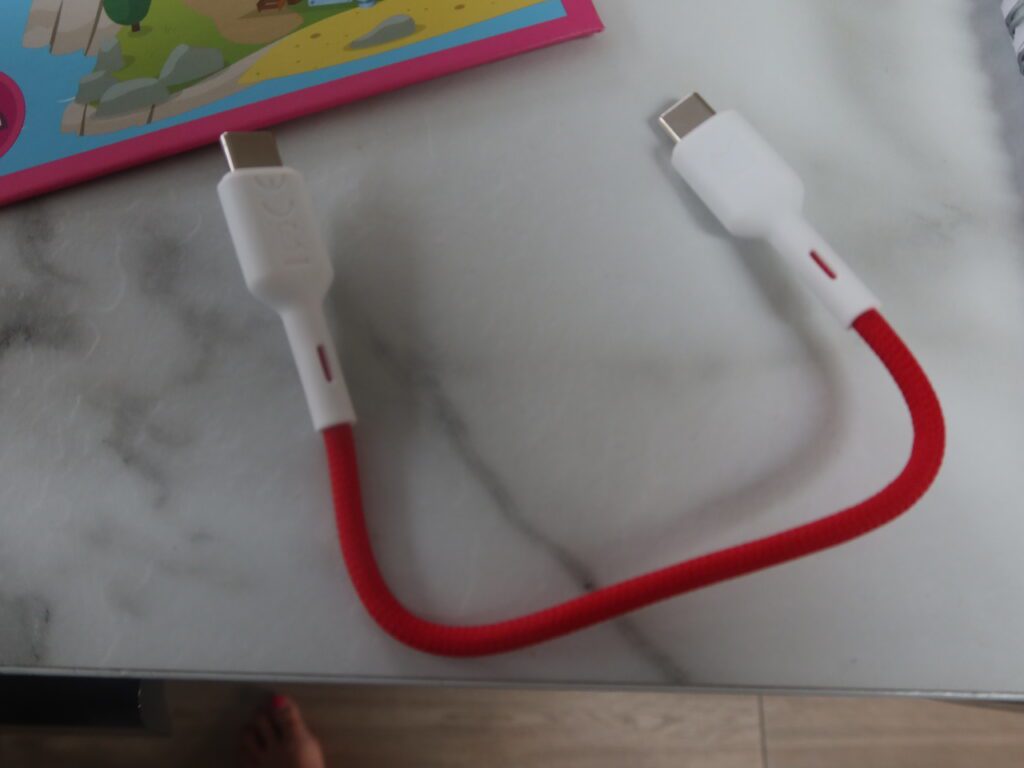
One thing I was less impressed by was the included USB-C charging cable. While it’s good to see a move away from the original charging station, the included cable was SO short that even when adding my own plug, it couldnt reach the socket. While most of us have a selection of USB-C chargers around the home, this just felt completely pointless, as I can’t think of anyone who would have a plug socket close enough to actually reach with the cable supplied. Picture below!
How easy is the Toniebox 2 to set up?
Setting up the Toniebox 2 is very straightforward – especially if you already have the tonies app. You’ll need your wireless passcode handy, but the process takes just minutes. You’re guided through every step, including pairing the ear, connecting to Wi-Fi, and downloading the latest features/firmware, and system sounds.
Using the Toniebox 2 is the same as the original – placing a Tonies character on top to play, lifting it off to pause, using the right and left ears to turn volume up and down and tapping the side to skip tracks. You can also tilt the box to rewind or fast forward the content.
What customisation options does the Toniebox 2 have?
- As mentioned above, you can choose between 1+ or 3+ years during set up, the latter of which allows content to be played during charging.
- You can set up volume maximums during the day and bedtime, and brightness settings for the light ring – I loved how you could pick brighter settings for play and more cosy, calm settings for bedtime.
- Unlike the Yoto Player, you cannot choose the colour of the Toniebox 2 nightlight.
- The Sleep timer with light allows you to select when the toniebox powers down and when bedtime mode kicks in (This can be in as little as 5 mins or as long as an hour).
- A sunrise alarm, which creates a gentle glow and plays a little tune to rowse your child
- it appears that parents need to go and touch the Toniebox 2 to turn this off (please correct me if there is another way as I couldn’t see how to shut this down via the app.)
- You also need to have the toniebox 2 plugged in and charging for the sunrise alarm to work – which not everyone will be comfortable with – and another reason why the tiny charging cable is a tad annoying.
How does Tonieplay work?
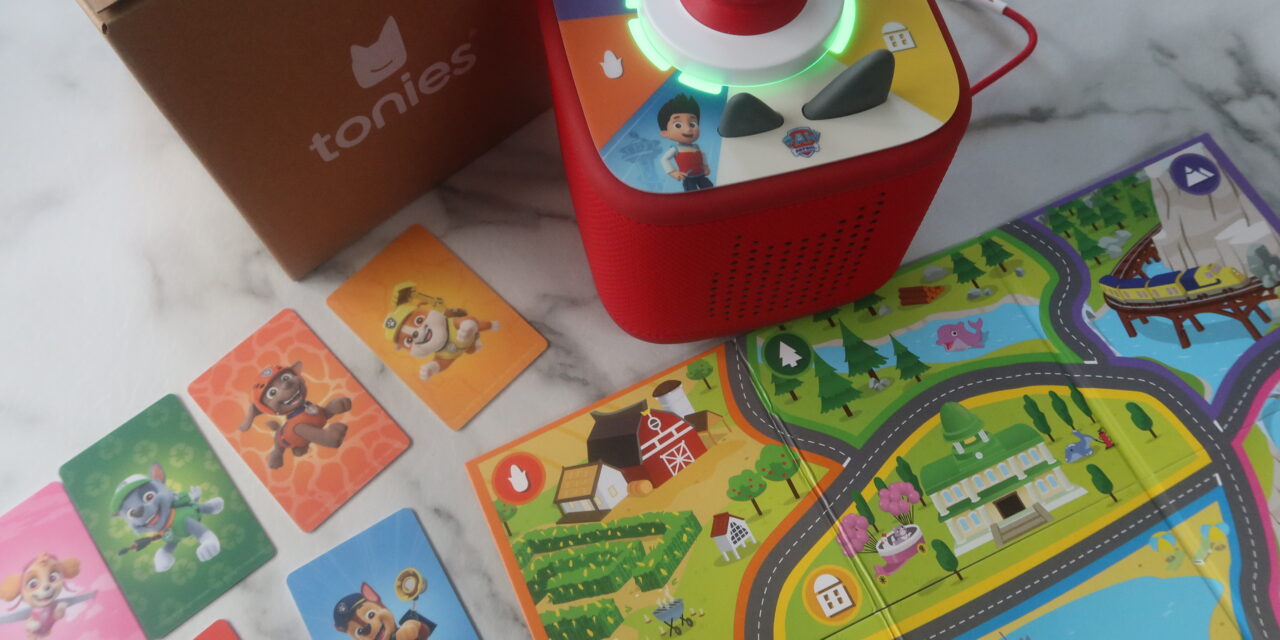
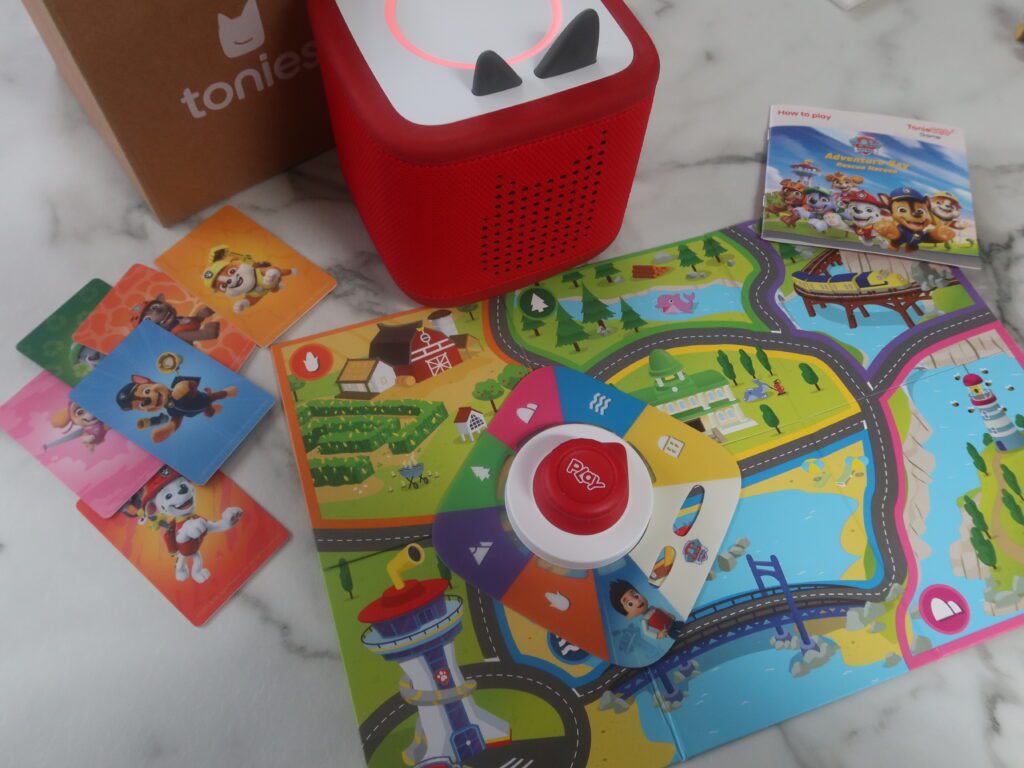
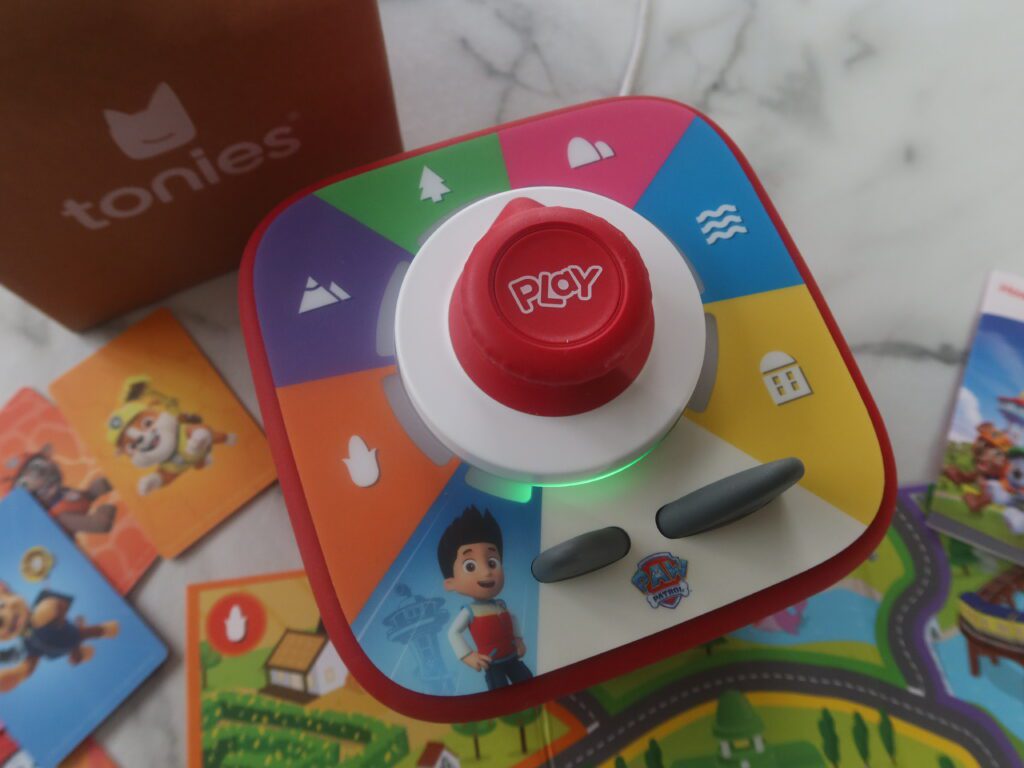
As part of my Toniebox 2 review, I tested the Paw Patrol Tonieplay game which was included in my starter pack. This came with a Tonieplay controller, Tonieplay game disk, 6 character cards and a game board. There are quite a few parts to this, so I would say best suited for playing in the home rather than during travel.
When buying Tonieplay games individually, the controller isn’t included, so you’ll need to buy one controller to start you off (RRP £12.99). This can then be used with all Tonieplay games.
Our Tonieplay review
I really enjoyed the interactive nature of the Tonieplay, with the central controller becoming a tool for decision making, challenges and interactive play.
It’s worth mentioning that the first time we played the Paw Patrol game, it took quite a long time to download (around 5 minutes) which can feel a bit painful with eager kids waiting to play. There is music during the wait however, and the dyanamic light ring shows your progress (like a loading wheel).
In the PAW Patrol game, the game involved several Pup Missions, where children had to wait for a pup pad call and press the button to answer. Using the map on the board, they then had to assign the best pup to help, placing cards on top of the controller to lock in their decision. Other steps included turning the dial to select certain tools and pressing the button at the centre.
Pros of Tonieplay
- encourages listening, responding, decision making and independent play – all huge plus points compared to the traditional audio
- game play is fun and interactive
- Character voices sound just like the show
- Dyamic light ring enhances play
- multiple children can play and share together
- lots of other games including quizzes and challenges
Cons of Tonieplay
- First time takes a long time to load
- In Paw patrol game it tells them if they get wrong answer but doesn’t give them a 2nd attempt – just tells the answer and moves on
- Unsure how many missions are included (likely to be some repetition)
Overall thoughts: Our Toniebox 2 Review
Overall, I loved the upgrades to the Toniebox 2 and think its definitely worth upgrading if you have the original model.
Here are my final thoughts as part of my Toniebox 2 review
| Toniebox 2 Pros | Toniebox 2 Cons |
| Now safe to use from 1 year plus | Included charging cable is so short it’s almost pointless |
| New rounded edges and squishy exterior is really durable | Sunrise alarm only works when charging / plugged in |
| Tonieplay is fun and interactive – a great way to encourage indpendent, screen-free fun | Tonieplay games aren’t cheap, however you only need to buy the controller once |
| Gradient light ring adds fun to audio stories and songs | Can’t choose your child’s fave colour for nightlight |
| Sunrise alarm and shut-off timer helpful for bedtime routine | Some of the games take a while to load |
| USB-C charging more convenient than original charging base | |
| Reasonable price for additional features | |